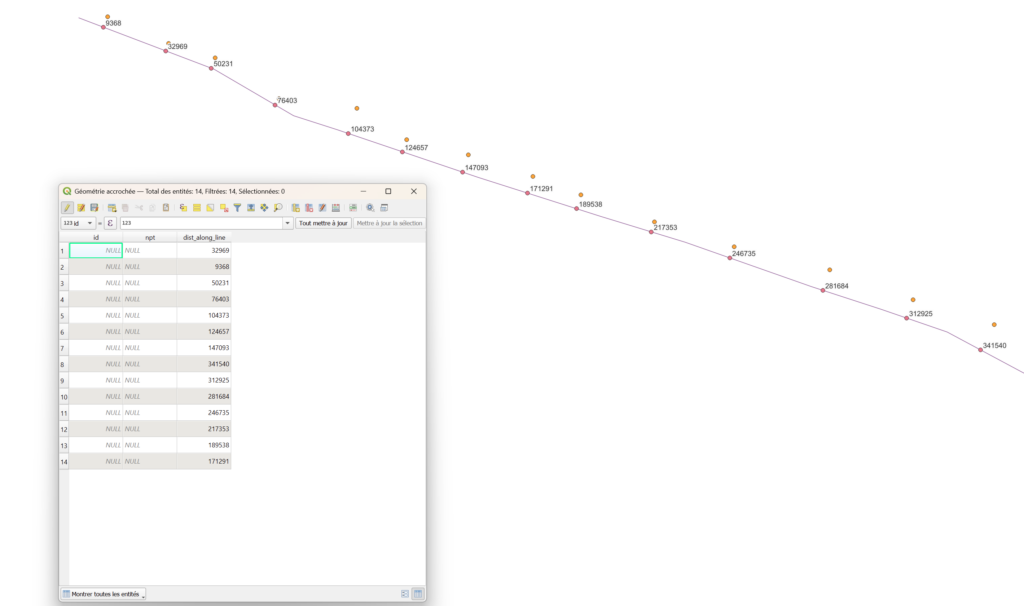
Method to project points onto a line and calculate a curvilinear distance along the line.
Projection
First project the points using “Snap geometries to layer” tool (“Accrocher les géométries à la couche”). Set the tolerance distance and choose the second behavior “Privilégie le point le plus proche, ajoute des sommets lorsque nécessaire”.
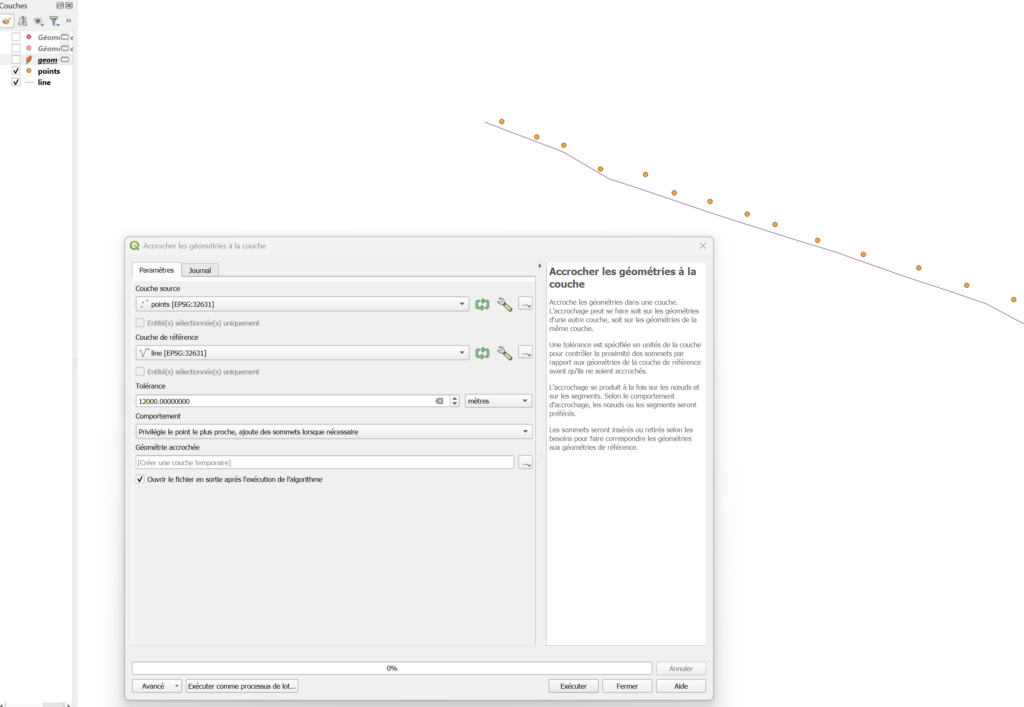
Or use this Python code:
processing.run("native:snapgeometries", {'INPUT':'D:\tmp\project_along_line\points.shp','REFERENCE_LAYER':'D:\tmp\project_along_line\line.shp','TOLERANCE':12000,'BEHAVIOR':1,'OUTPUT':'TEMPORARY_OUTPUT'})Curvilinear distance calculation
Next, in the field calculator of the projected point layer, calculate a new field with this expression :
line_locate_point(overlay_nearest('line',$geometry)[0],$geometry)Replace ‘line’ by the name of your line layer
or this expression should also work :
line_locate_point(
geometry( overlay_nearest('ma_ligne', $currentfeature)[0] ),
closest_point(
geometry( overlay_nearest('ma_ligne', $currentfeature)[0] ),
$geometry
)
)
And that’s it!